TinyTorrent: Torrent client. Video library. Subtitle finder.
Download torrents, then find your finished movies in one library, with ratings and subtitles. No ads. Free and open source.
Latest version · Windows 10 or 11, 64-bit · Free
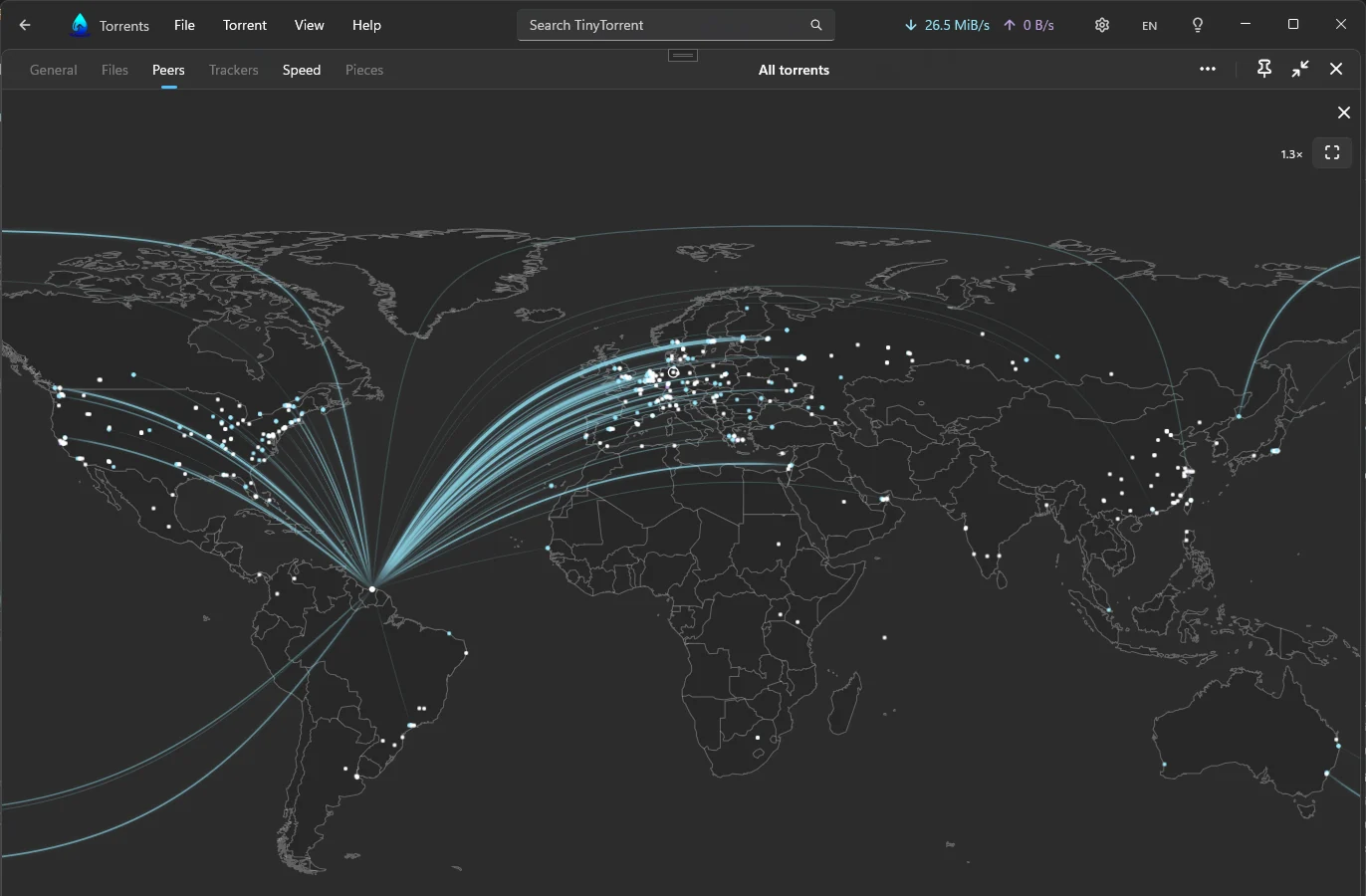
Every peer on a world map
See roughly where your peers are, by country and city, with an arc from each peer to you. Country data comes with the app. City data is an optional download.
Your finished movies, in one library
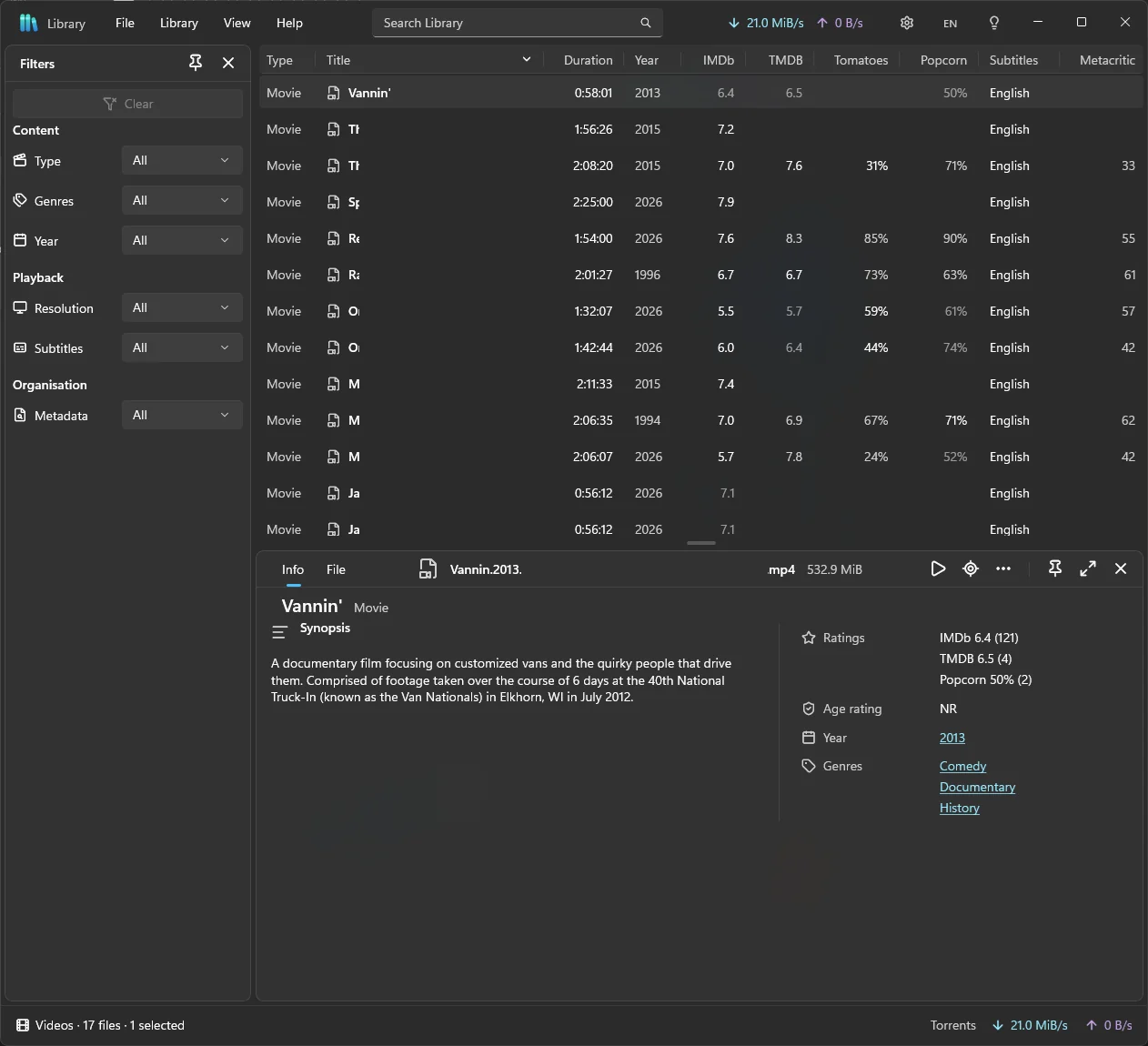
Finished movies wait in the Library. Search by title, actor, genre or year, and filter by season, resolution or subtitles. Ratings from IMDb, TMDB, Rotten Tomatoes, Popcornmeter and Metacritic sit in one row.
Movie information comes from TMDB online, or from an offline IMDb download of about 290 MB. Music is listed by artist, album and track. Files open in your own player.
TinyTorrent can also use Gozler to find the videos already on your drives. It asks first, and it is off by default.
Subtitles, found for you
Pick OpenSubtitles, SubDL or SubSource. You need no account. TinyTorrent can fetch a subtitle when a download finishes, or you pick one from all that are offered. It saves the subtitle next to the movie with a matching name, so any player finds it.
Also in TinyTorrent
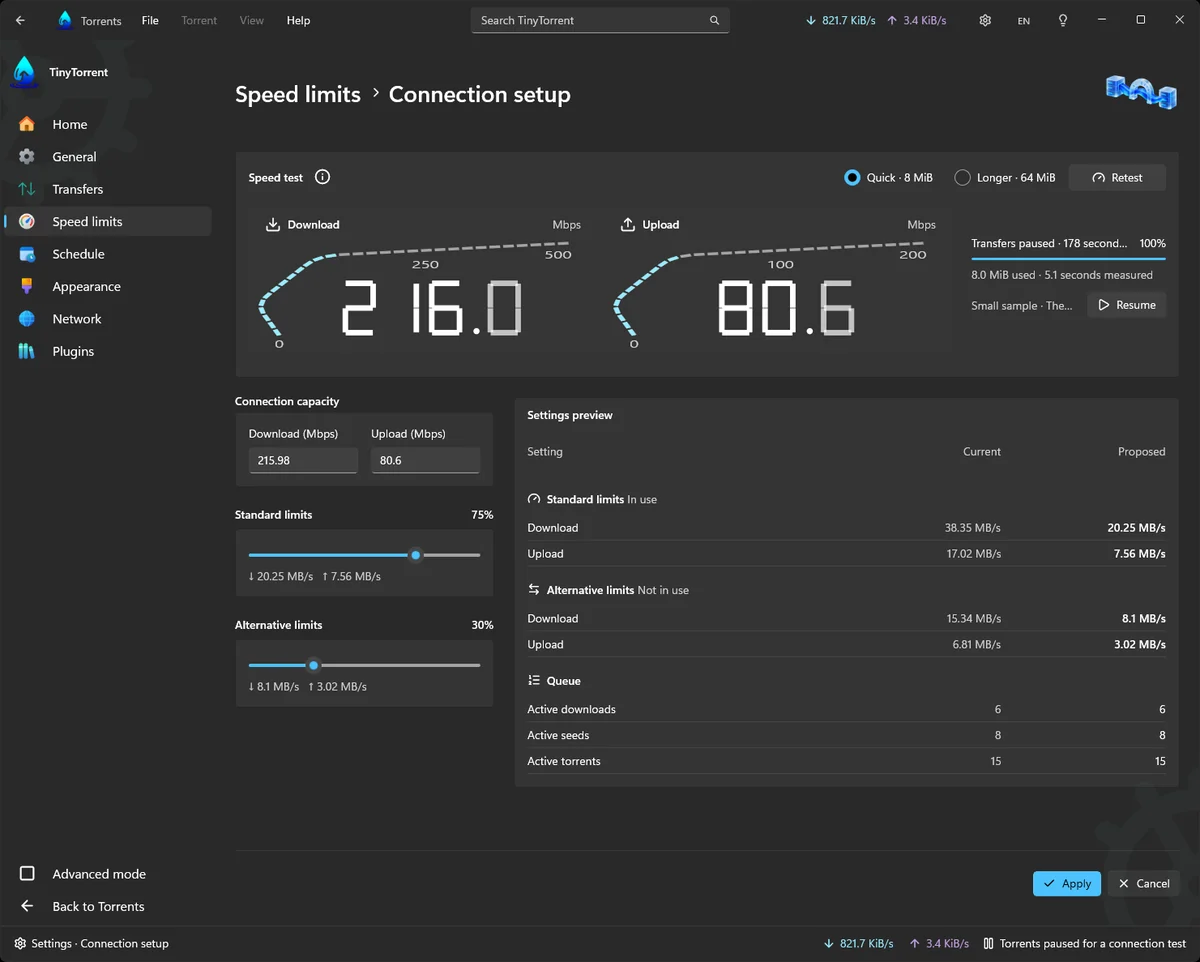
Speed limits that fit your connection
A built-in speed test measures your connection and proposes limits. A weekly schedule then switches between your standard and alternative limits, or pauses downloads, at the times you choose.
- Torrent files and magnet links, by drag and drop or many at once.
- Pick the files you want before the download starts.
- Queue, priorities, pause, resume, force start, verify and move.
- Trackers, pieces and speed history for every torrent.
- Port mapping, your own listen port, one network adapter for a VPN, and SOCKS5, SOCKS4 or HTTP proxy.
- Light or dark theme. English, Spanish, French, Dutch, Portuguese or Chinese, switched without a restart.
What it does on your PC
Close the window, keep downloading
TinyTorrent is two programs: a small engine that downloads and seeds, and the window. Close the window and its program exits, giving its memory back to Windows. Downloads continue, and the icon in the notification area brings the window back. Exit in that icon's menu stops everything.
The engine contains no web browser, no .NET and no WinUI. The About page shows the memory both programs use, live, so you can check it on your own computer.
What goes online
TinyTorrent sends no usage analytics and no crash reports. Crash logs stay on your computer, and Windows is stopped from sending its own crash reports for the app. One part is outside my control: Microsoft's Windows App SDK, which draws the window, can collect usage diagnostics according to your Windows privacy settings.
Once a day, while the window is open, TinyTorrent asks GitHub whether a new version exists. It tells you and installs nothing, and you can turn the check off. Movie information, subtitles, city data for the map and the speed test (which uses Cloudflare) connect only when you ask.
All of it follows the proxy or network adapter you chose for your torrents. If that route is down, nothing is sent.
Questions and answers
TinyTorrent
Torrent client, video library and subtitle finder. Free, no ads.
Latest version · Windows 10 or 11, 64-bit · Free
TinyTorrent is a working example of how Synapse builds software. The code, tests and design decisions are public. If you need software for your business, tell me what you need.